A private cloud drive for businesses. Teams store, share and edit Word, Excel and PowerPoint files together in the browser, while administrators keep full control of users, storage and security — on dedicated servers, not a shared public cloud.
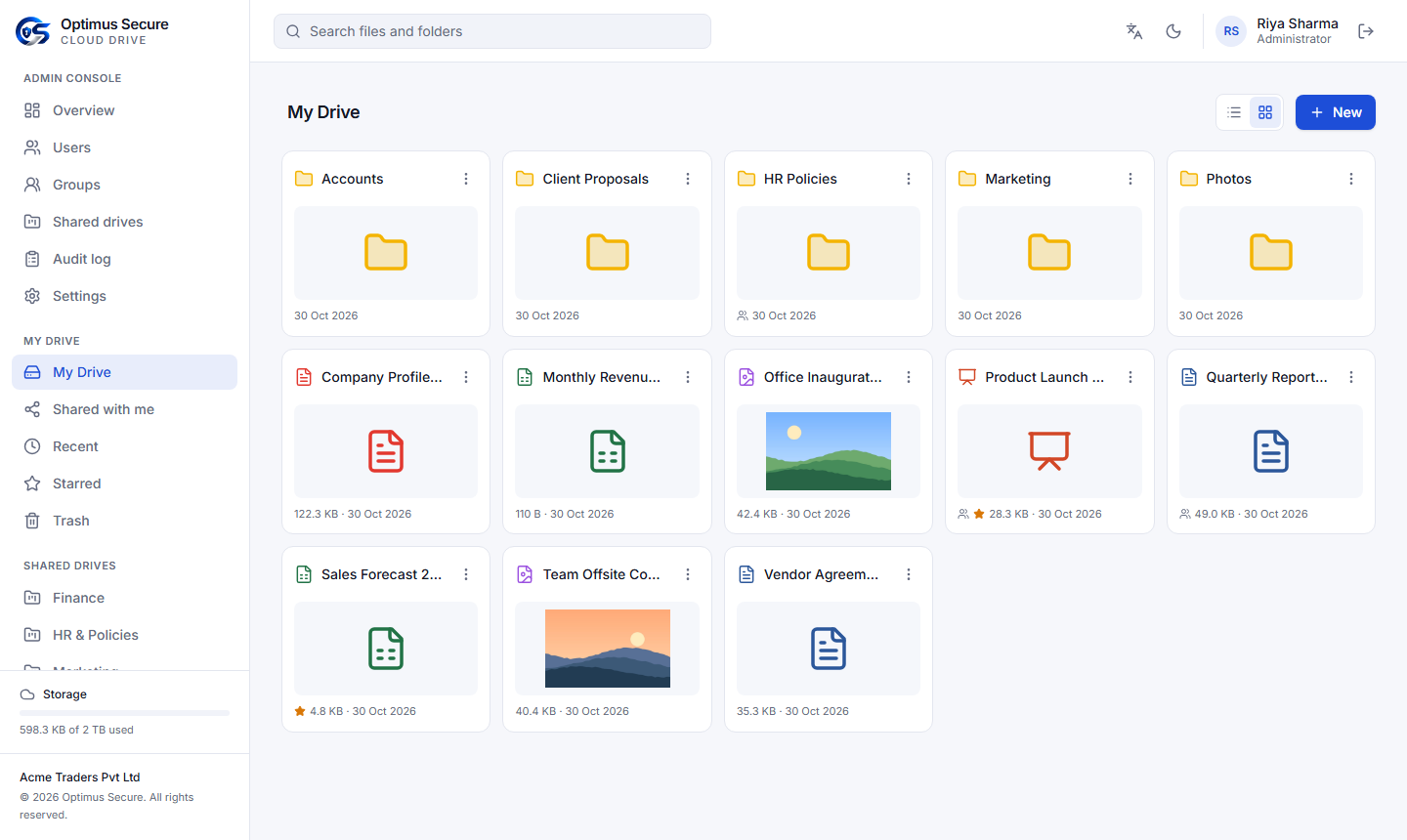
Every employee gets a personal drive, every team gets a shared drive, and everything is found, shared and edited in the same place. Files belong to the company: when someone leaves, the shared drives and their work stay.
We create your company account with the storage you need. Your administrator invites the team, and people are working together in minutes — nothing to install, only a web browser.
We set up your company with its storage, number of users and subscription period.
Your administrator accepts the invite and turns on Google Authenticator.
Users, groups, storage quotas and shared drives for each department.
Drag whole folders in; large uploads resume by themselves after a network drop.
Share, co-edit documents live and keep every version.
Storage, sharing, online Office and administration in one product, with security built in rather than added on.
Drag and drop files or whole folders. Files up to 50 GB upload in parts and pick up where they stopped after a network drop. Download a file, or a folder as one ZIP.
Open DOCX, XLSX and PPTX (and OpenDocument) files in the browser. Several people edit the same file at once and see each other's changes as they type. New blank documents in one click.
Share a file or folder with a person, a group or the whole company — Can view or Can edit, with an optional expiry date. Sharing a folder covers everything inside it.
Send a link to a client or vendor without an account: optional password, expiry date and a view-only option. Off by default; the company administrator decides whether they are allowed.
Drives for Accounts, HR or a project, owned by the company rather than one person. Members are Managers, Editors or Viewers, added one by one or as a group.
Every save keeps the previous version; download or restore any of them. Deleted items wait 30 days in Trash before they are removed for good.
Codes from Google or Microsoft Authenticator, required for every administrator and available to every user, with one-time recovery codes. Repeated wrong passwords lock the account.
Every upload up to 100 MB is scanned before it is stored. An infected file is refused and recorded, so it never reaches a colleague.
A quota for the company and for each user; versions and Trash count too. Email alerts at 80% and 95%, and reminders before the subscription ends.
Sign-ins, uploads, deletes, shares, links and every administrative change are recorded with who did it and when, filterable by type.
Search across your drive and everything shared with you; Starred and Recent views; preview images, PDF, video, audio and text without downloading.
English and Hindi, light and dark themes, list and grid views, right-click and three-dot menus. It works in any modern browser with nothing to install.
Opens Right in the Browser
Pages of the app. Company and people names are demonstration data.
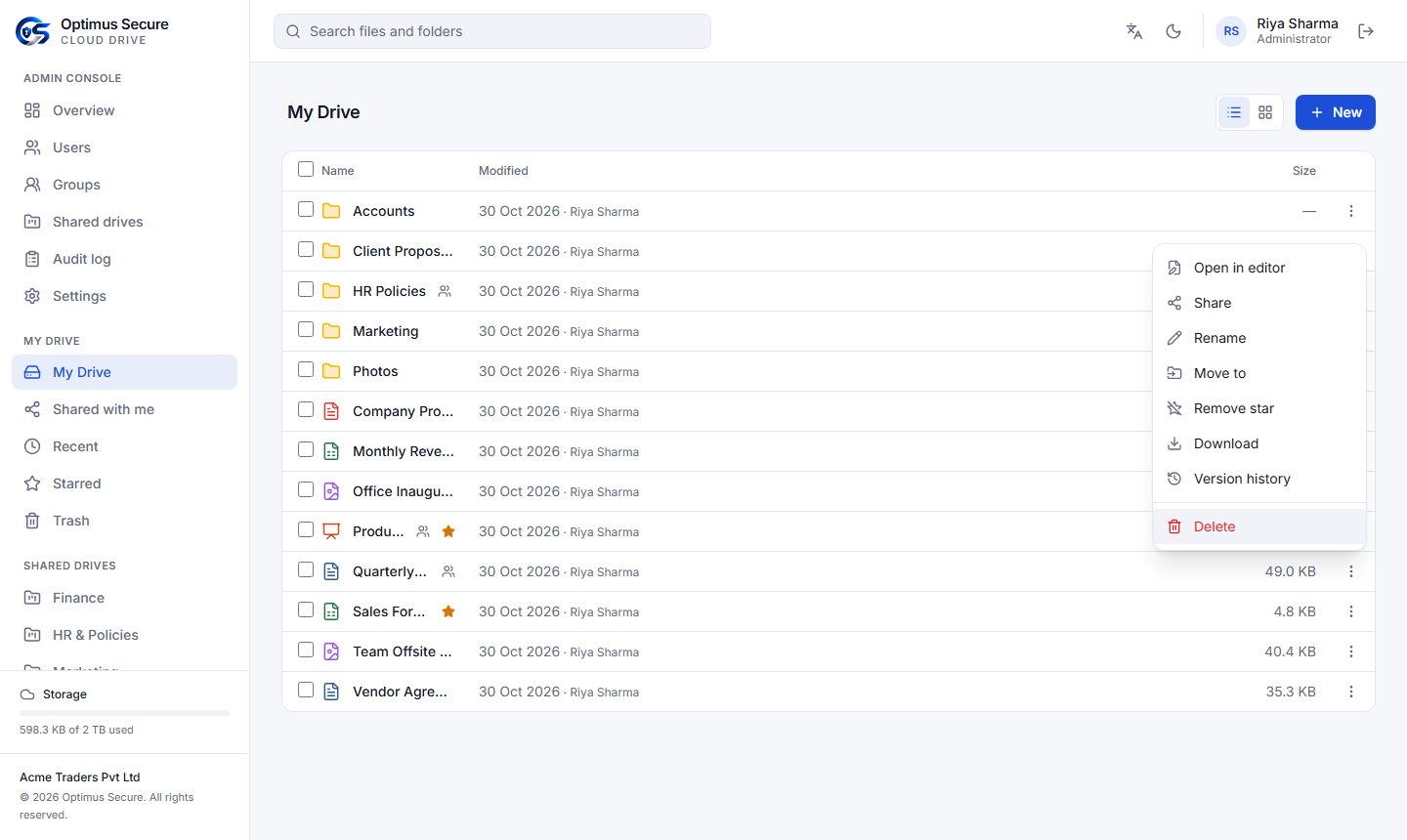
Every file has the same quick menu: open, share, rename, move, star, download, versions.
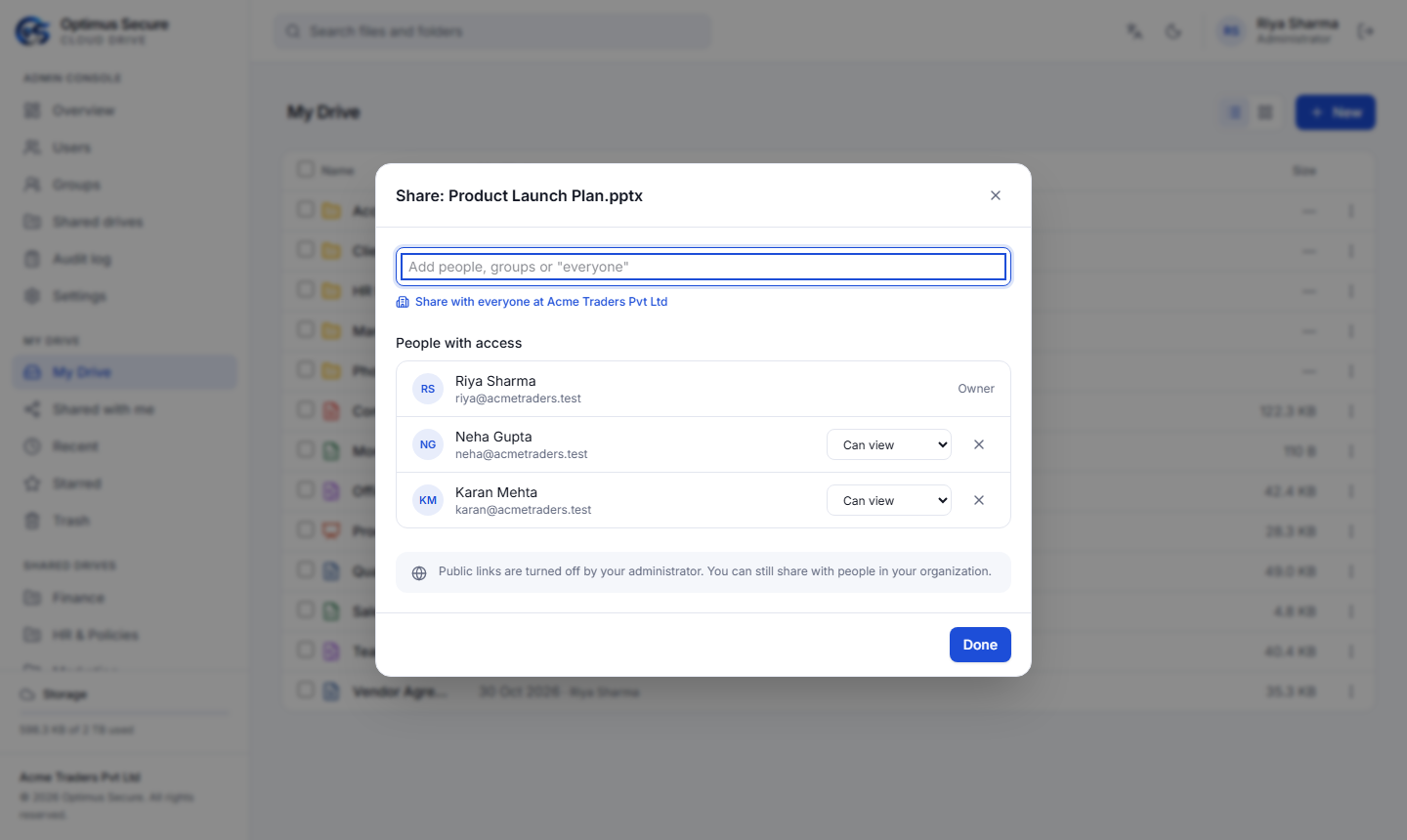
Share with people, groups or everyone in the company — view or edit.
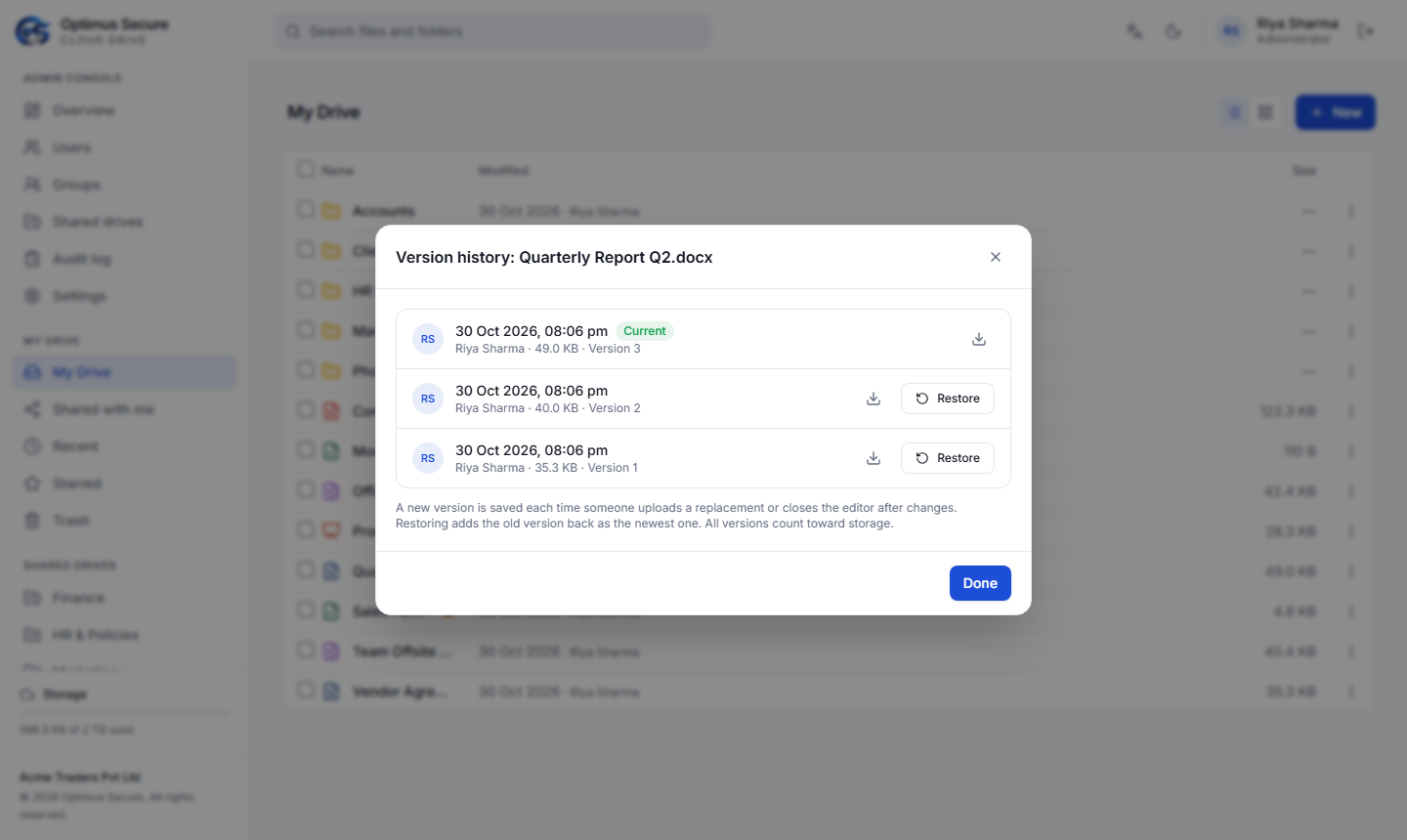
Every version kept, with who saved it; restore one in a click.
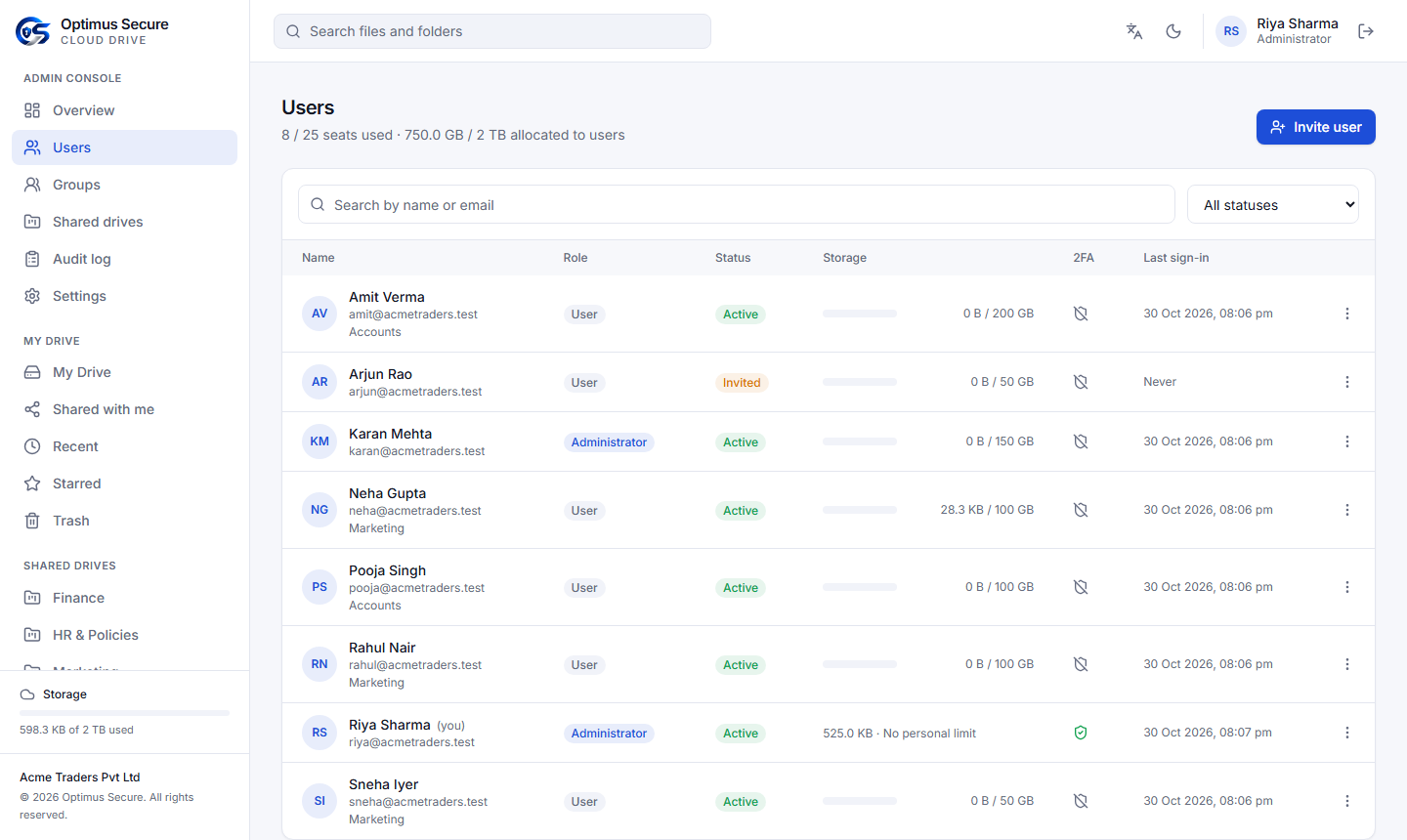
The administrator's view of every user: role, storage, 2FA and last sign-in.
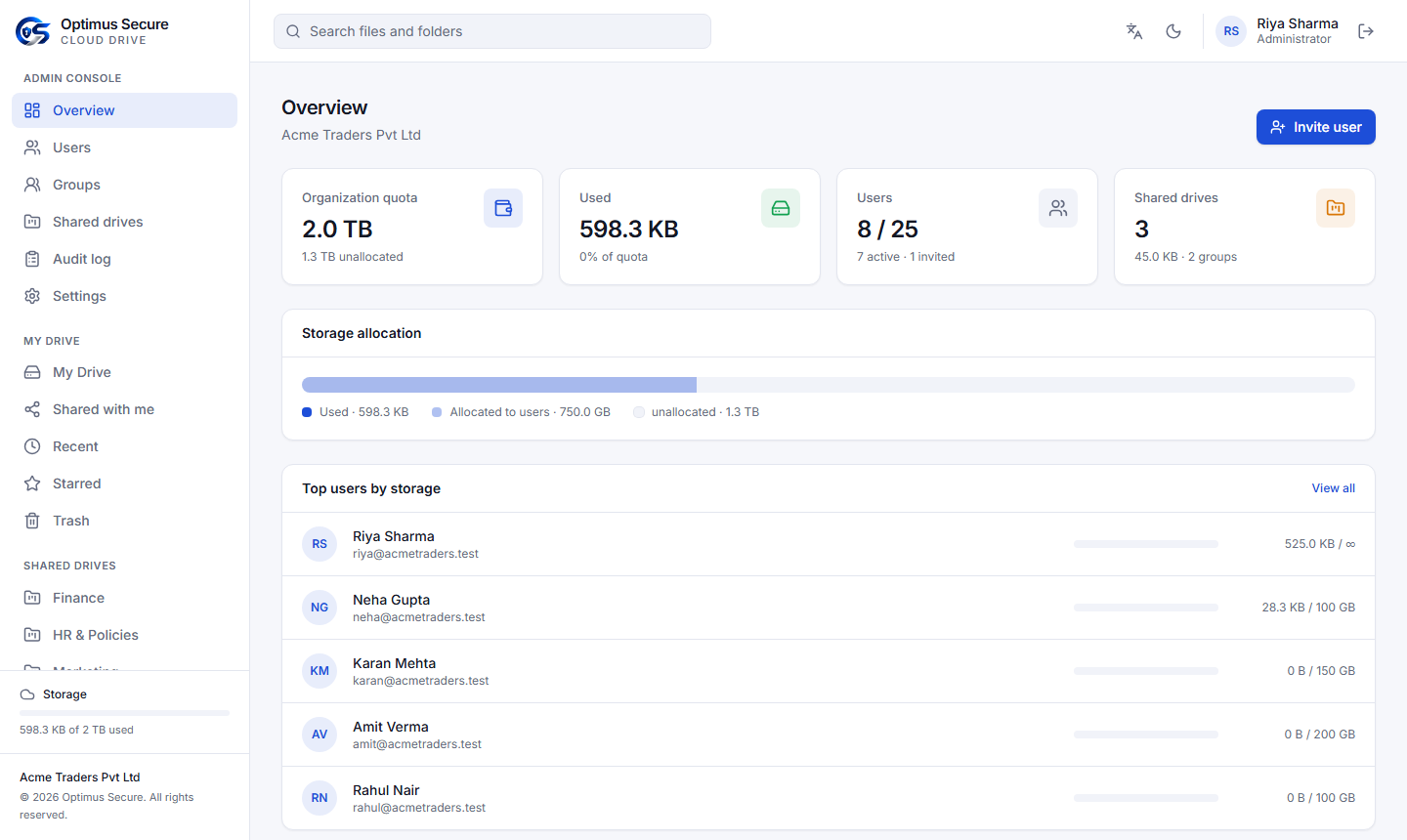
Company overview: quota, storage used and allocated, seats and top users.
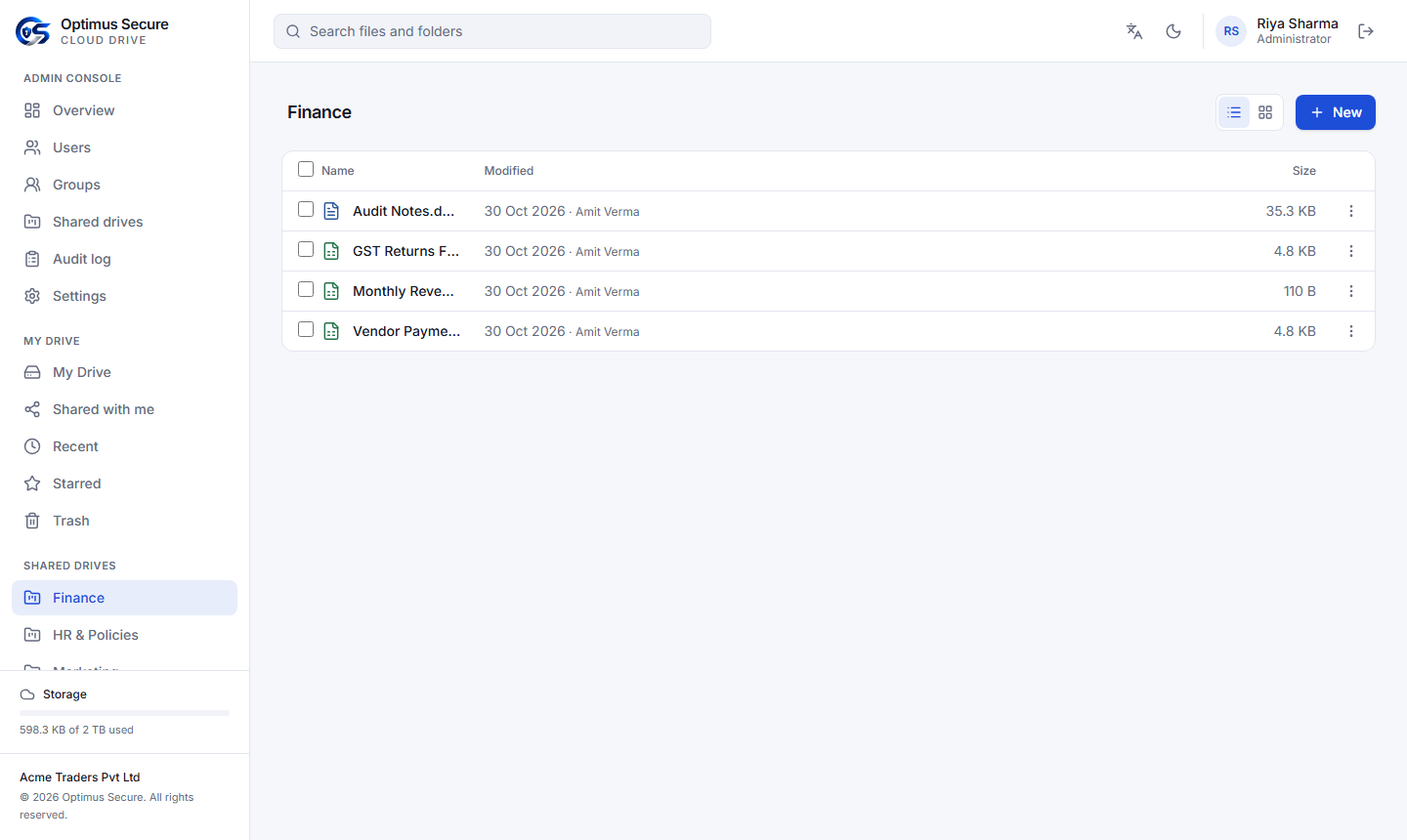
A shared drive for the accounts team — owned by the company, not one person.
Dedicated servers, each company's data kept apart, and the provider's console has no way to open your files.
Encrypted HTTPS for all traffic, strong password hashing, account lock-out, and administrators who cannot sign in without two-step verification.
The database is backed up every night and kept for 14 days. Every week the latest backup is restored into a scratch copy and checked automatically.
Disk, database, virus scanner, document editor and backups are checked continuously on our provider dashboard, so problems are seen before they reach you.
An individual account or a company account; storage from gigabytes to terabytes, the number of users you need and a subscription period that suits you.
Built For
Ask us for a demo account. We will set up your company, help your administrator invite the team and move your first folders in.