Orynexa collects syslog from every firewall, switch, wireless controller and server — from any manufacturer — and turns it into answers: who is doing what on the network, which device has gone quiet, and who is trying to break in.
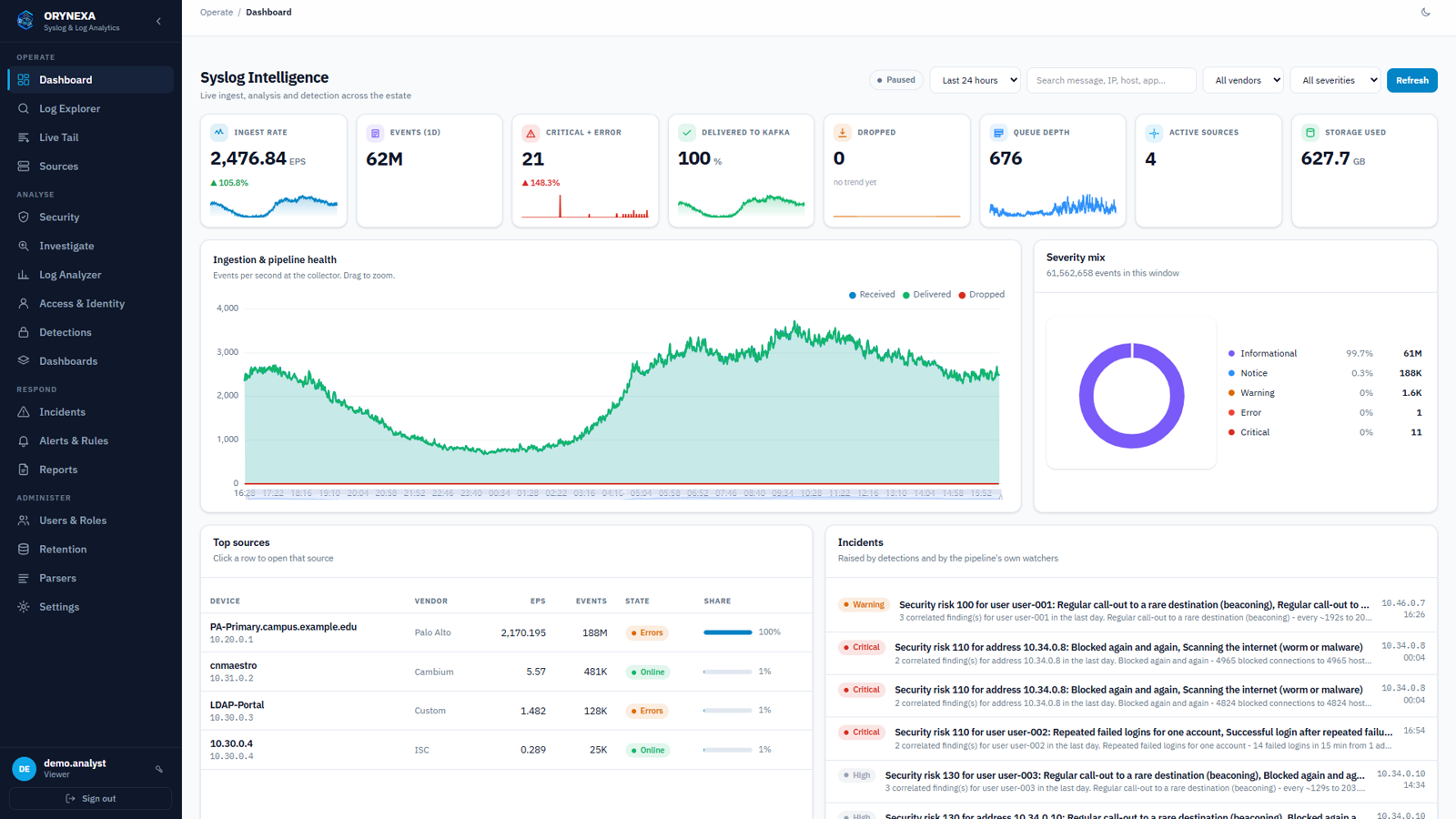
Firewalls, switches, access points, controllers, servers, applications — each speaks its own log language. Orynexa reads all of them into one searchable record, recognising each device from the shape of its logs, so a new model or a new vendor works without any code change.
A firewall logs a session; a second later it is searchable, counted in the reports, tied to the user behind that address, and checked against seventeen security detections. Here is the whole path.
Syslog over UDP or TCP 514, or encrypted TLS on 6514 — nothing to install on the device.
Vendor recognised; user, addresses, MAC, action, outcome and event class extracted.
Buffered on disk first, so a busy hour or a restart loses no event.
Compressed about eight times; billions of events searched in seconds.
Tied to the user, scored for risk, and raised as an incident when it matters.
From the first log line to the auditor's report — collection, search, analysis, security and reporting in one product, on your own server.
Ready rule packs for Palo Alto, Fortinet, Cisco, Juniper, Aruba, Sophos, Check Point, Ruckus, Cambium, Linux, Windows and more. Anything else still gets its addresses, users, MAC, action and severity — and a rule built in the console goes live in 30 seconds.
Filter by time, device, severity, event class, user, IP, MAC, interface or any field a device sends. Click a value to filter on it, save searches for your team, export to CSV, or follow events live as they arrive.
Each device is judged against its own normal: a busy firewall is silent after minutes, a quiet switch after hours. A device sending far less than usual for that hour is flagged too — before anyone notices the gap.
Type a user or an IP address and see their whole story: addresses used, logins and VPN sessions, applications and websites, destinations, what was blocked, attacks reported by the firewall and every finding — hour by hour.
Every five minutes: brute force, password spraying, login after failures, port scans, internal sweeps, worms scanning the internet, beaconing, floods and unusual spikes. Findings are tied to the logged-in user and scored for risk.
Risk above the threshold or a critical finding opens an incident with all its evidence. Alert rules notify by email, Telegram or webhook — one problem, one alert, closed by itself when the problem stops.
Views by what the logs are about, whichever vendor sent them: traffic and top talkers, allowed vs denied, logins and failures, link and spanning-tree events, DHCP, system messages — and the messages nothing has classified yet.
Daily, weekly or monthly PDFs, emailed on schedule: privileged account logins, every configuration change with who made it and from where, failed logins, VPN users and console activity — for ISO 27001, PCI DSS and CERT-In audits.
Every sign-in to the console (failed ones too), every change, search, export and investigation is recorded with the user, address and result. Passwords and secrets are never written down.
A disk-backed buffer and a column store made for billions of rows. One server took 20,000 events per second with no loss; retention is set per severity or event class, so noisy logs do not crowd out important ones.
Built cluster-ready from the first install. The Cluster & HA page shows what would stop if a server failed and how to fix it; add a replica for HA or a shard for capacity, checked before it joins.
A System Health page checks every layer — collectors, buffer, storage, database, disks and every service — and says what to do when something is not right. A watchdog raises an incident if a service stays down.
Reads Logs From
On Rocky, Alma, RHEL, CentOS, Ubuntu or Debian — the containers, databases, HTTPS, firewall, supervision, nightly backup and every secret are set up for you.
Then point your devices at the server and open https://your-server. We install it with you and connect your first devices. Full steps in the user guide.
Pages of the console. Addresses and user names are demonstration data, not a live network.
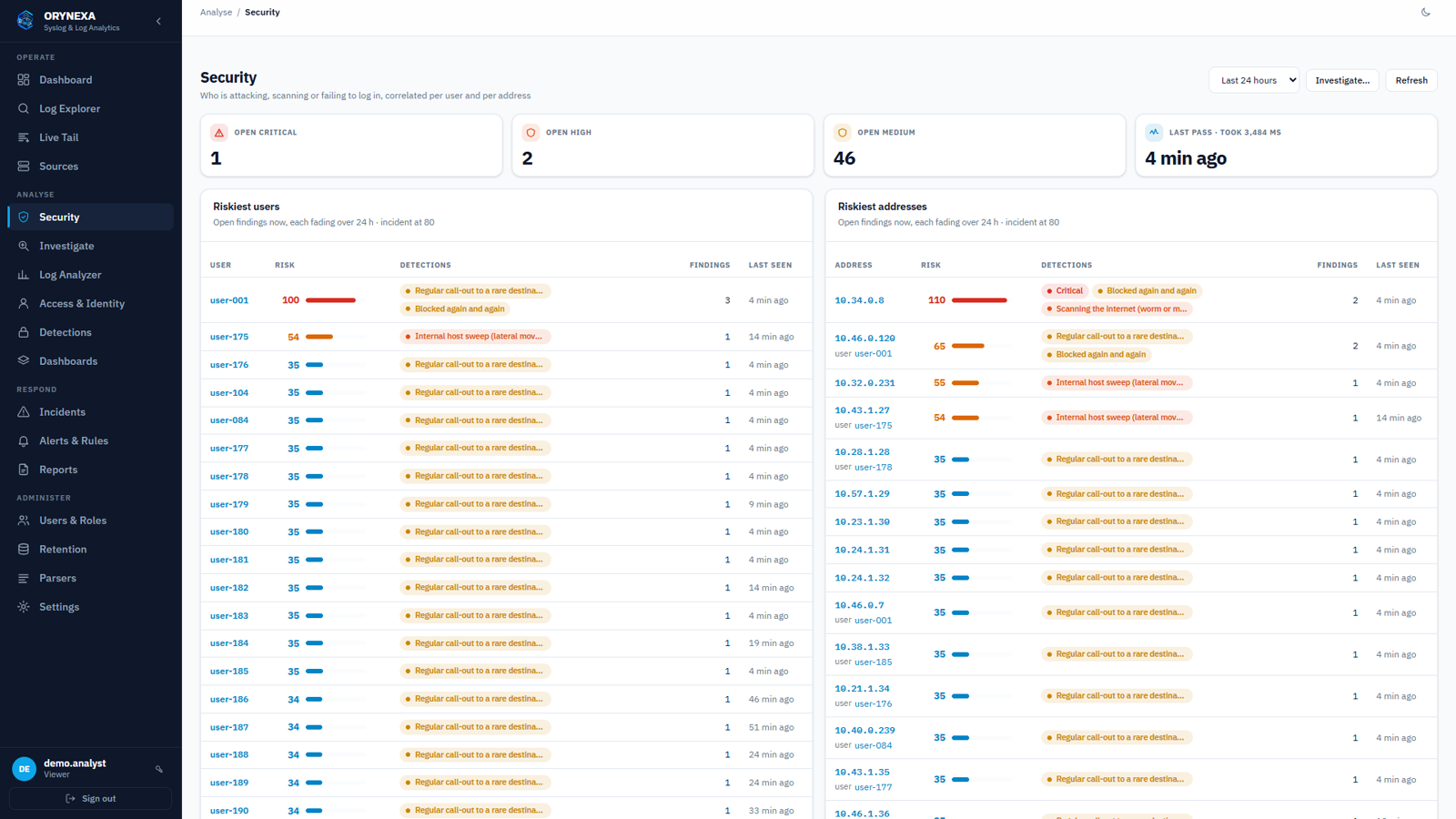
The riskiest users and addresses right now, and which detections put them there.
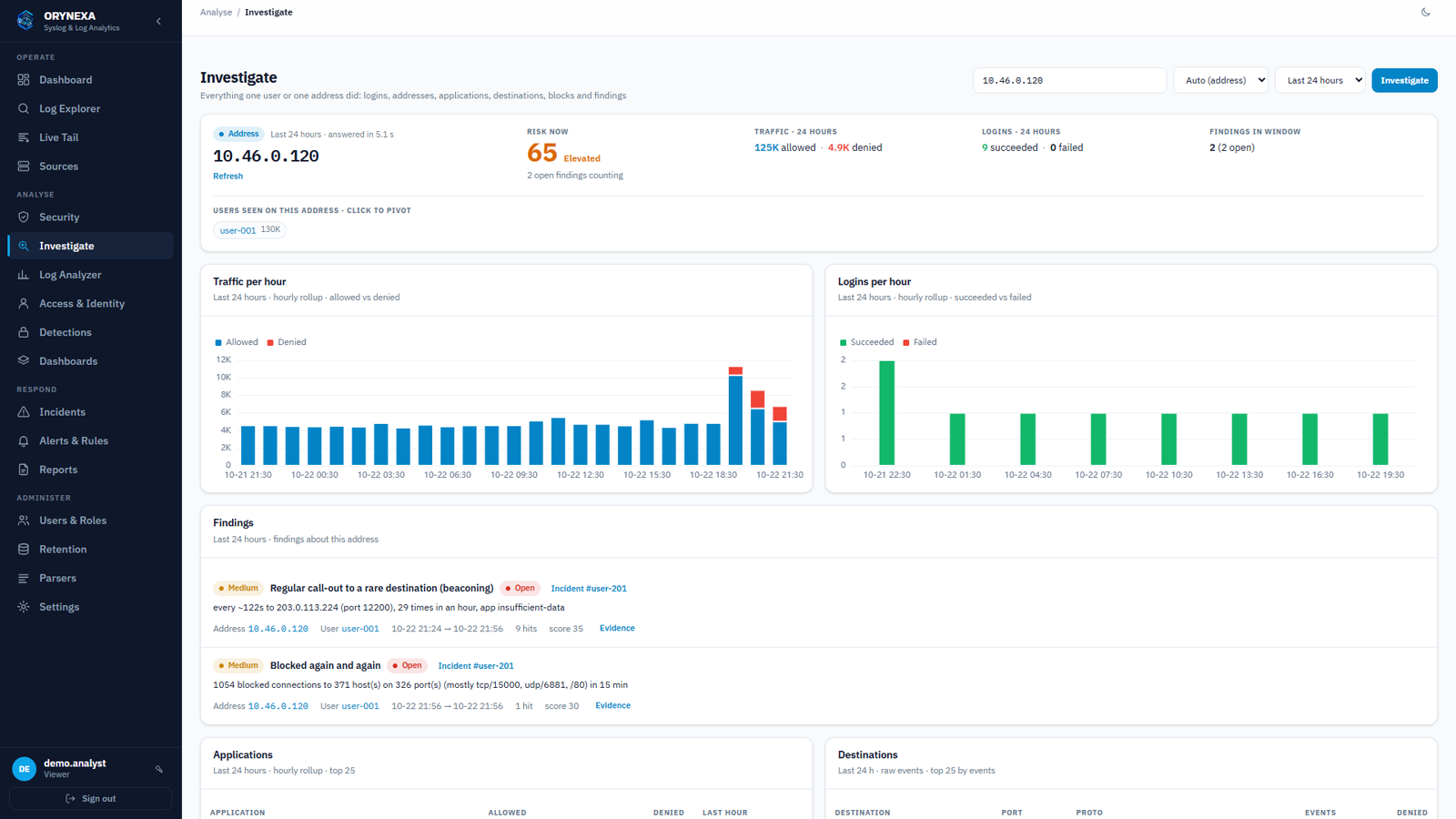
One address or user: risk, traffic, logins, findings, applications and destinations.
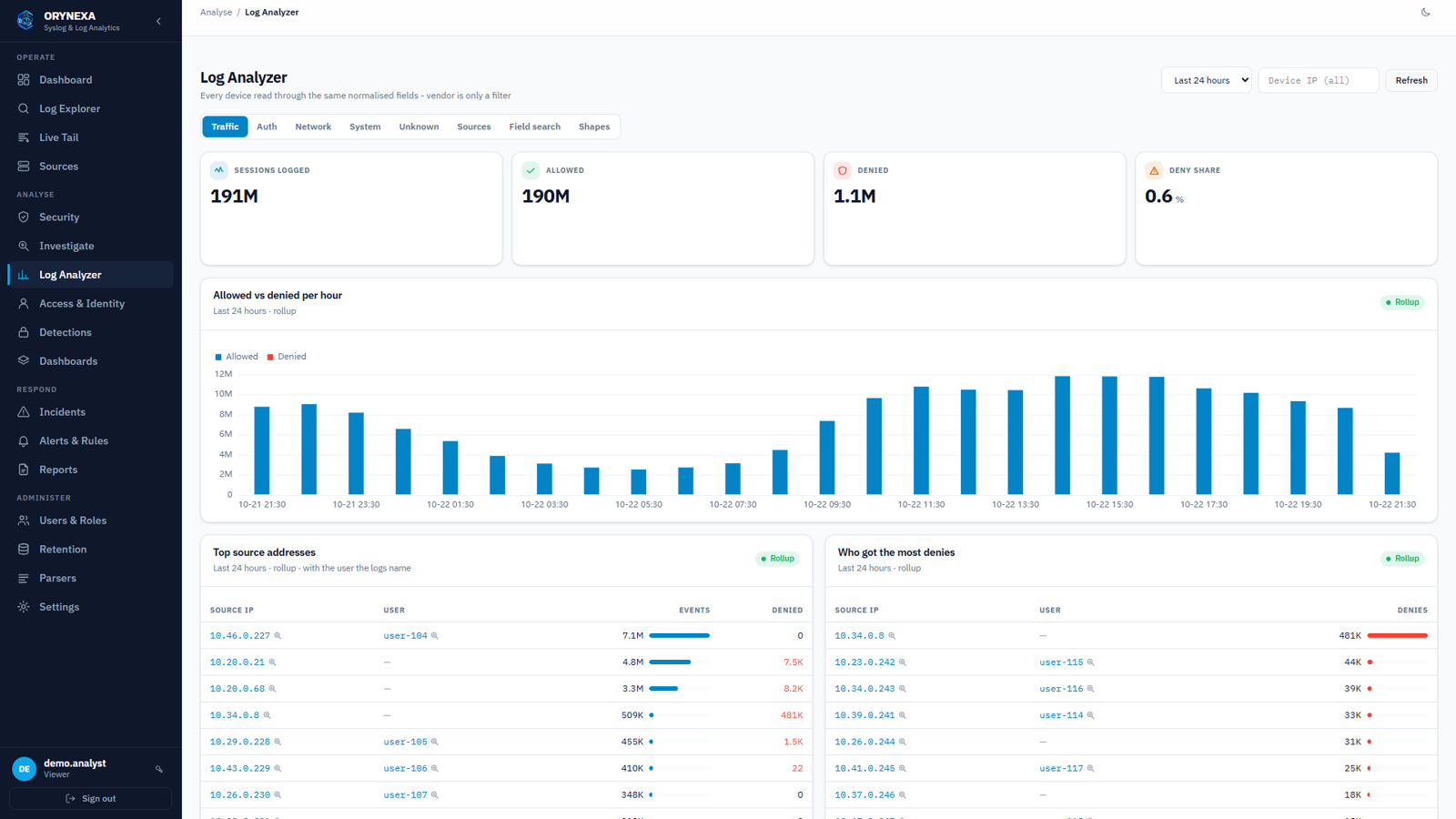
Traffic from any firewall: allowed vs denied, top talkers with the user behind them.
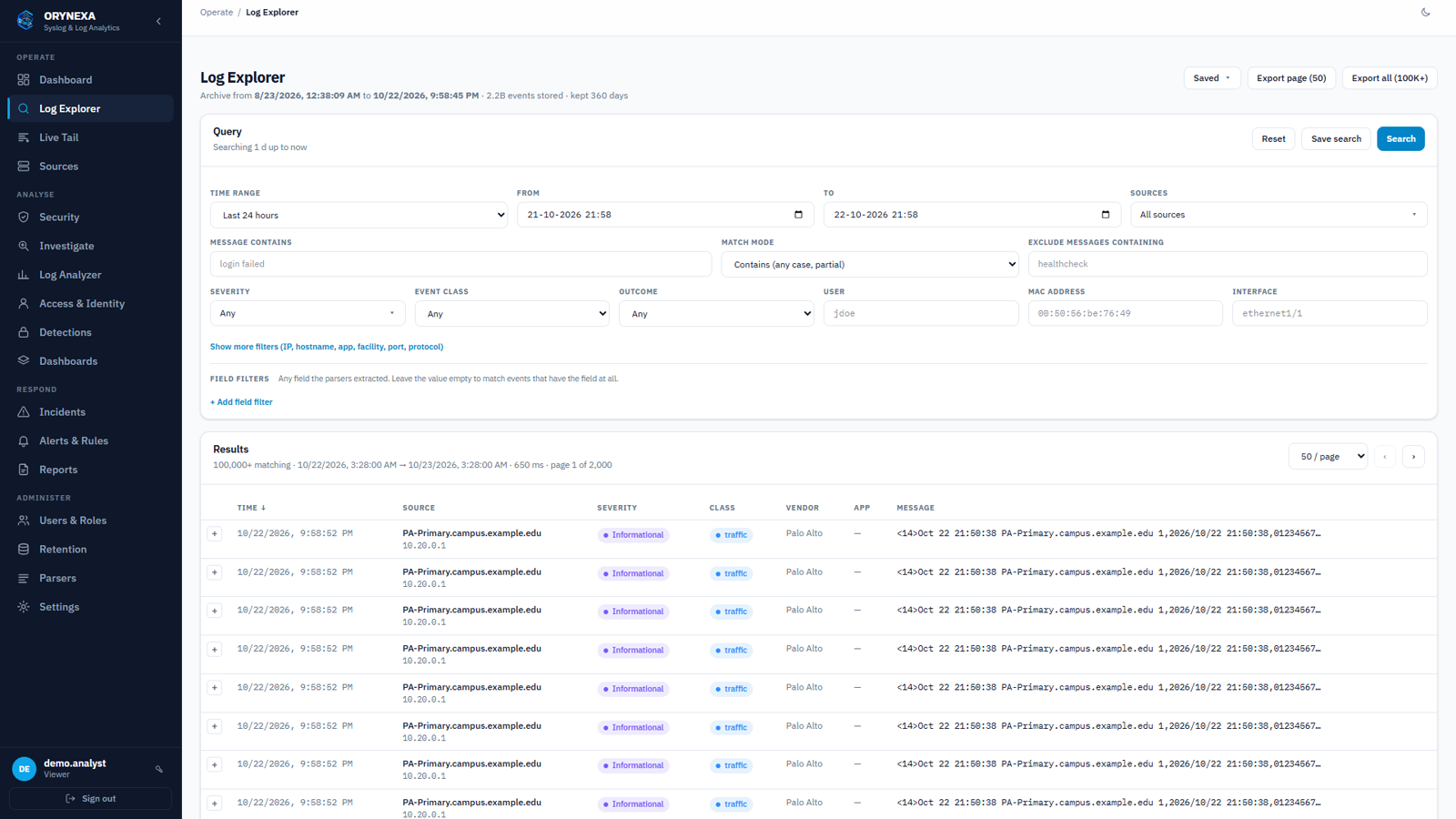
Search with filters on any field; save the search or export it to CSV.
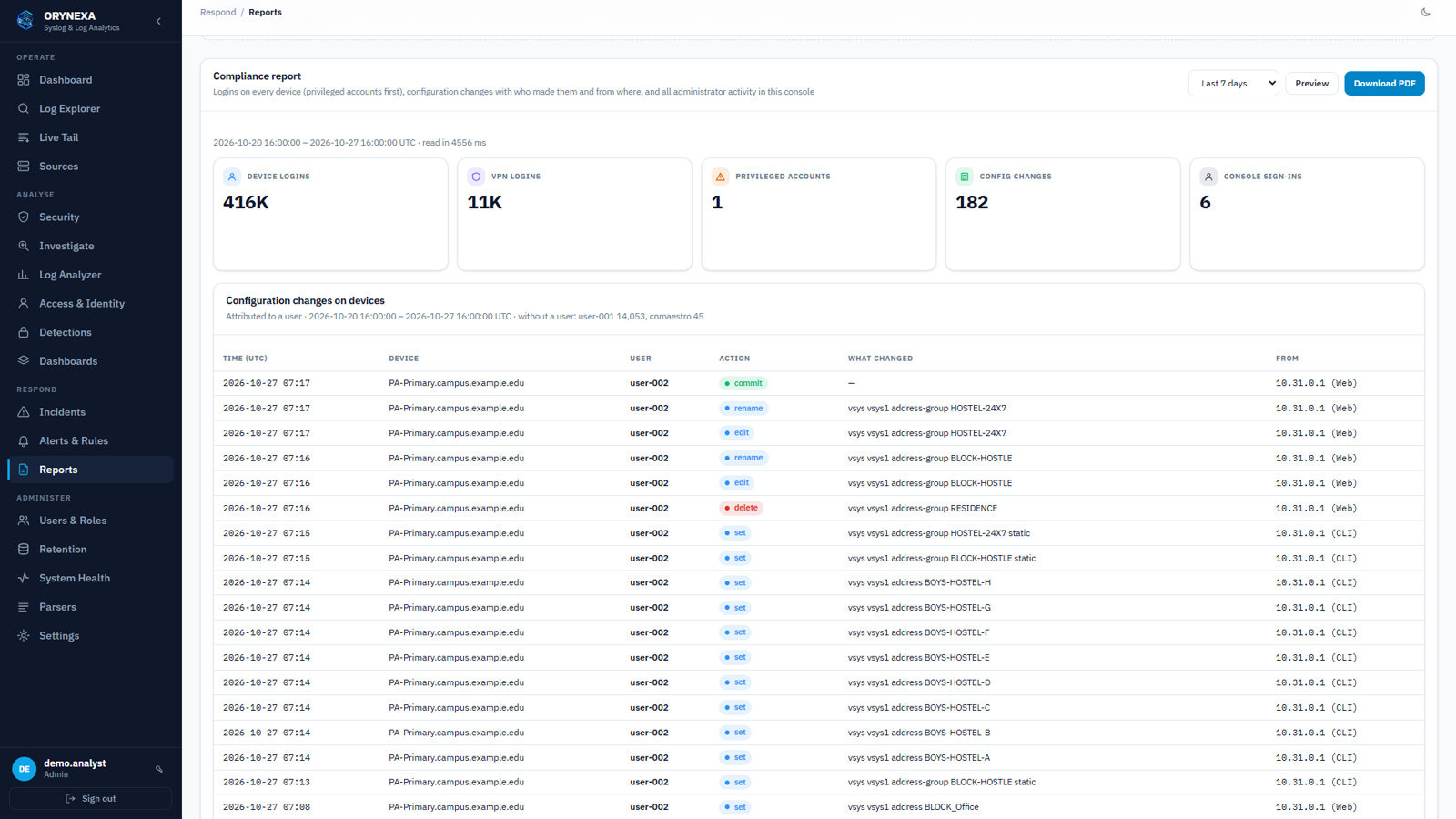
Compliance report: every configuration change, who made it and from which machine.
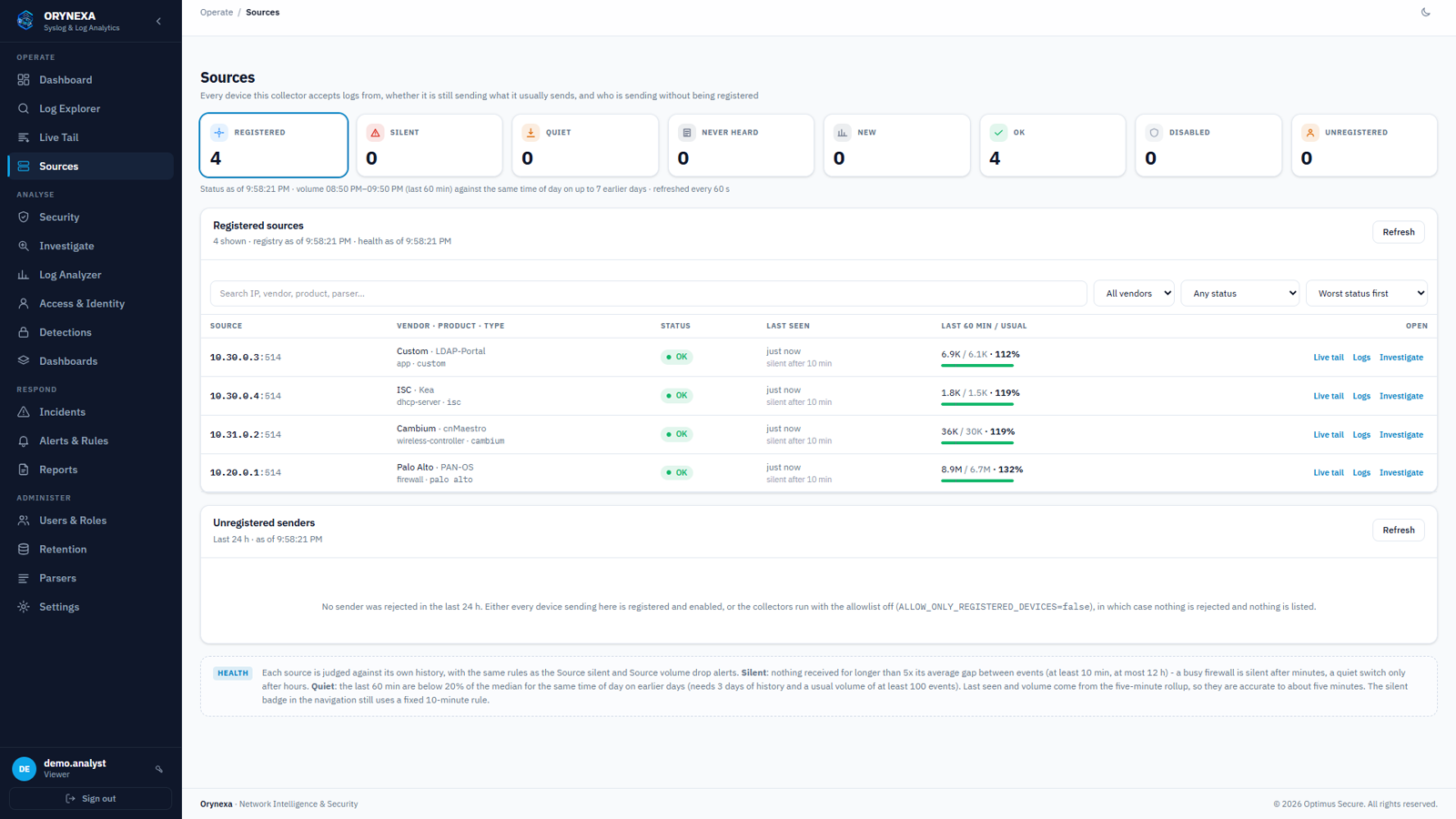
Every device with its health against its own normal, and senders waiting to be registered.
No cloud and no agents on your devices. Everything runs on hardware you control, and the platform looks after itself.
Only syslog and the HTTPS console face the network; databases and internal services listen on the server alone. Every secret is generated at install, and syslog can arrive over TLS.
Every night the configuration, users, rules and reports are backed up, restored into a scratch copy and compared row by row — and copied off the server if you choose.
An upgrade backs up first, restarts only what changed, checks that logs are still being stored, and rolls itself back if they are not. Works offline from a single file.
Retention from days to years, shorter for noisy traffic logs and longer for logins and changes. The sizing guide tells you the disk for your devices before you buy.
Built For
Talk to us and we will install Orynexa on your server, connect your firewalls, switches and controllers, and show you your own network in a day.