Hotspot Radius Manager is the RADIUS server and admin portal behind your campus Wi-Fi. It logs people in, gives each one their own speed and data limit, and keeps the record of who had which IP address — for the day someone asks.
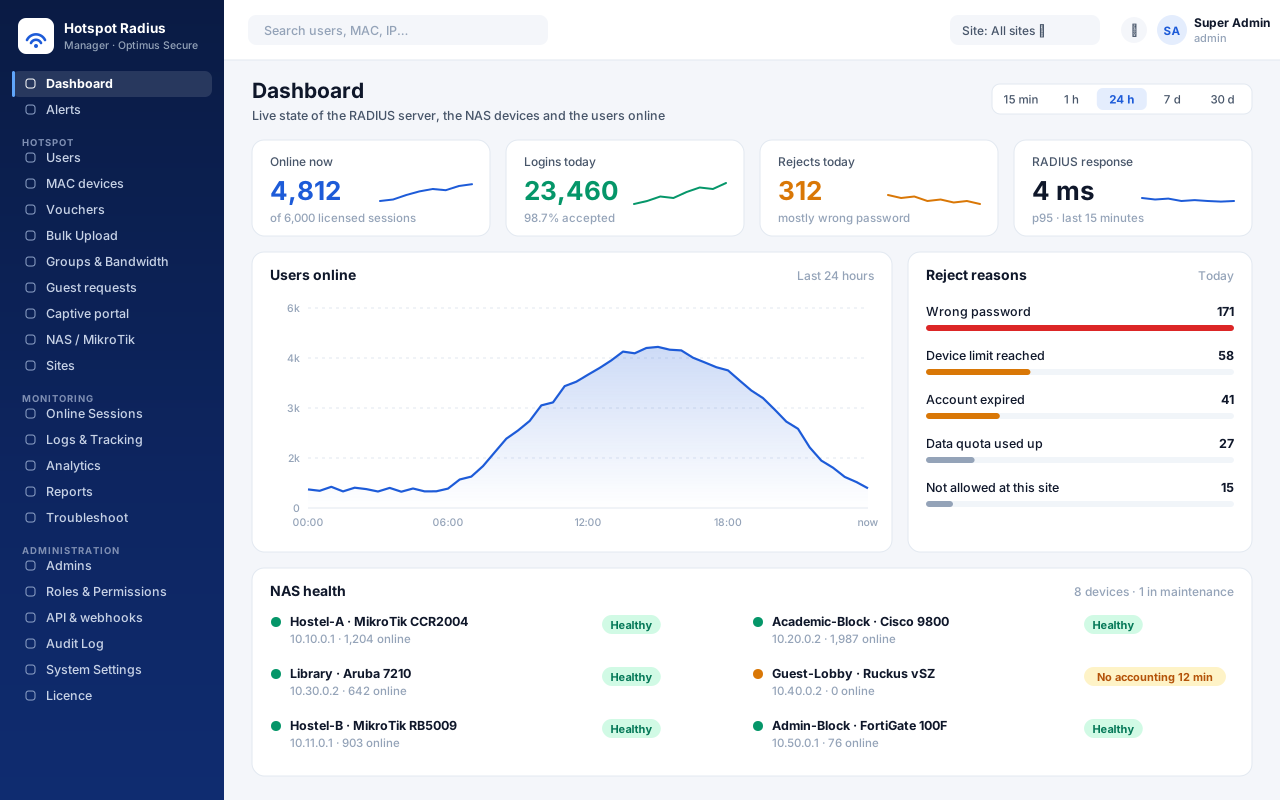
Students, staff, visitors, the lab printer — they all reach the network through one place. The access points ask Hotspot Radius Manager who may connect and how fast, and every answer is written down. Your team runs all of it from one web portal.
It takes less than a second, and nobody on your team has to be awake for it. Here is the whole round trip, from the phone joining the Wi-Fi to the line in the log.
The router shows your branded login page — account, voucher, OTP or guest form.
The username, password and device MAC go to the server over RADIUS.
Valid until, devices at once, daily time, data quota, the site it belongs to.
Accepted with the user's own speed limit — not a share of one pipe.
Who, which IP, which MAC, which access point, from when to when and how much data.
From creating the first account to answering an investigation two years later — in one portal, on your own server.
Username and password (PAP, CHAP, MS-CHAPv2), the college LDAP or Active Directory password, vouchers, OTP by SMS or email, guest registration with host approval, click-through and MAC-registered devices.
A speed per group or per user, devices at once, daily and monthly time, a monthly data quota, and a fair-usage rule that slows a user after X GB — even mid-session. A different speed at night, if you like.
Batches of up to 10,000 secure codes with time, data and device limits, printed as cards with a QR code that logs the visitor straight in. Status per code and the value of what was sold.
Design the router's login page in the portal — logo, colours, texts, terms — in English, हिन्दी and বাংলা, with a live phone preview. Download it as a ready package with the router commands.
Ready configuration for MikroTik, Cisco, HPE Aruba, Ruckus, Fortinet, Cambium and UniFi. A live check after adding a router shows exactly what is wrong if the first login does not arrive.
Who is online, where, at what speed and how much they have used. Disconnect one or many, or change a group's speed — the router applies it to users already online.
Every login attempt with its reason, and every session with user, IP, MAC, access point, time and data. Give an IP address and a time and get the person — kept for as long as your policy says.
18 reports as PDF, Excel or CSV, on demand or emailed on a schedule. Trends, the busiest hours of the week, and a forecast of when the licence, capacity or disk will run out.
RADIUS or database down, a router gone quiet, a spike in rejects, disk or licence running out. By email, Slack, Teams or Google Chat — with acknowledge, reminders and escalation.
Built-in and custom roles from 38 permissions. Split campuses into sites, each with its own admins who see only their users. Admins can sign in with Microsoft Entra ID and two-step codes.
Every admin action is logged and hash-chained, so a changed or deleted record is detected. Backups can be encrypted and copied off-site, and are test-restored on a schedule.
A REST API with OpenAPI docs and scoped keys, signed webhooks, and logins and admin activity forwarded to Splunk, QRadar, Sentinel, Elastic or Wazuh — or plain syslog.
Works With Your Equipment
On a fresh Ubuntu or Debian server — FreeRADIUS, the database, HTTPS, time sync, the firewall and the portal, all set up for you. Running it again later upgrades in place.
Then open https://your-server and sign in with the admin login the installer prints. The installation licenses itself for 15 days on first run. Full steps in the user guide.
Pages of the admin portal. Names, numbers and addresses are examples, not a live network.
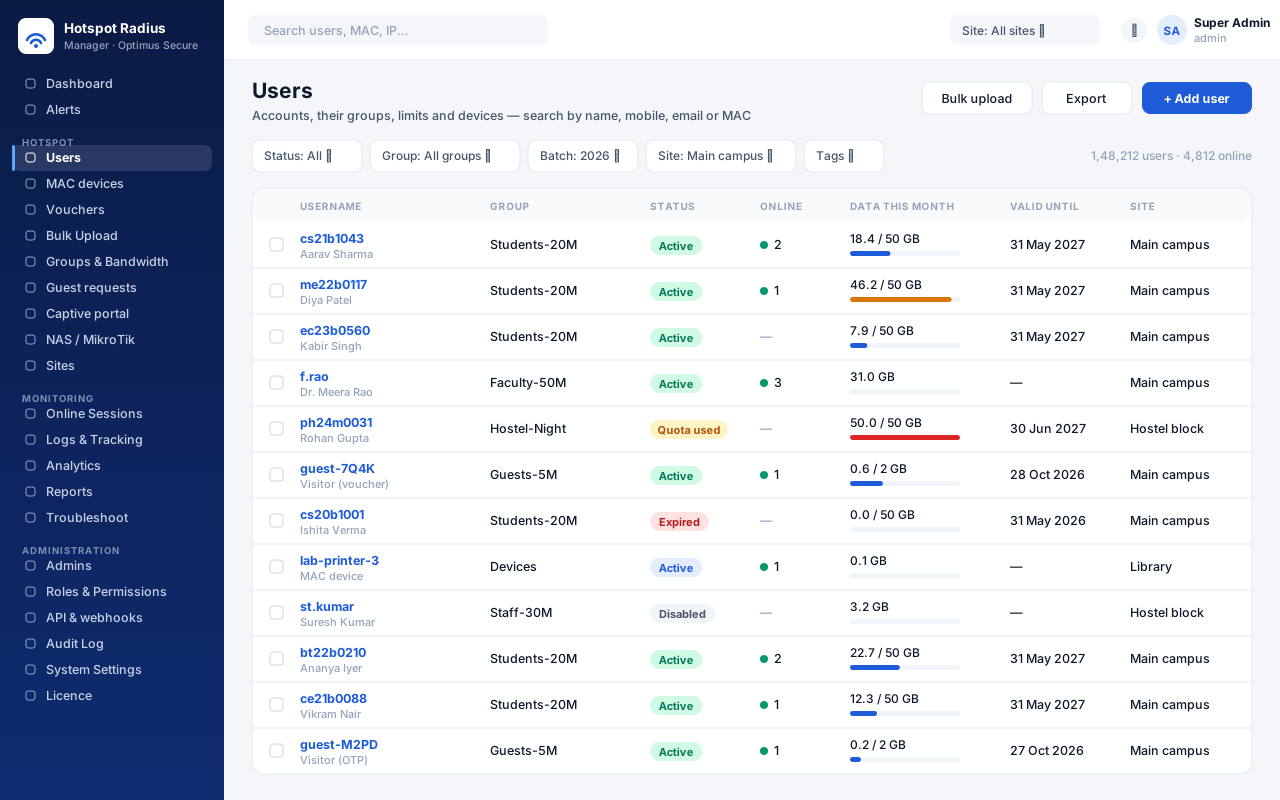
Every account with its group, devices online and data used — filter by batch, site or tag.
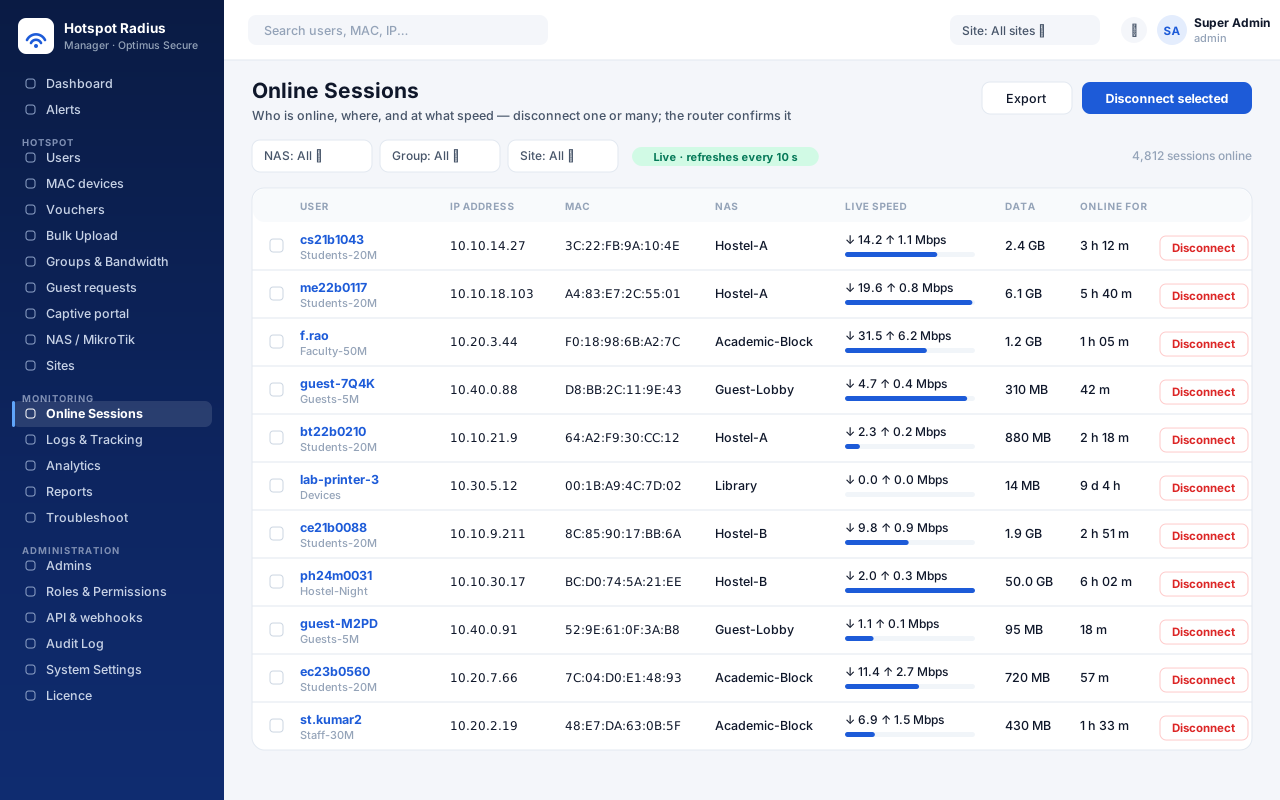
Who is online right now, at what speed — and a disconnect the router confirms.
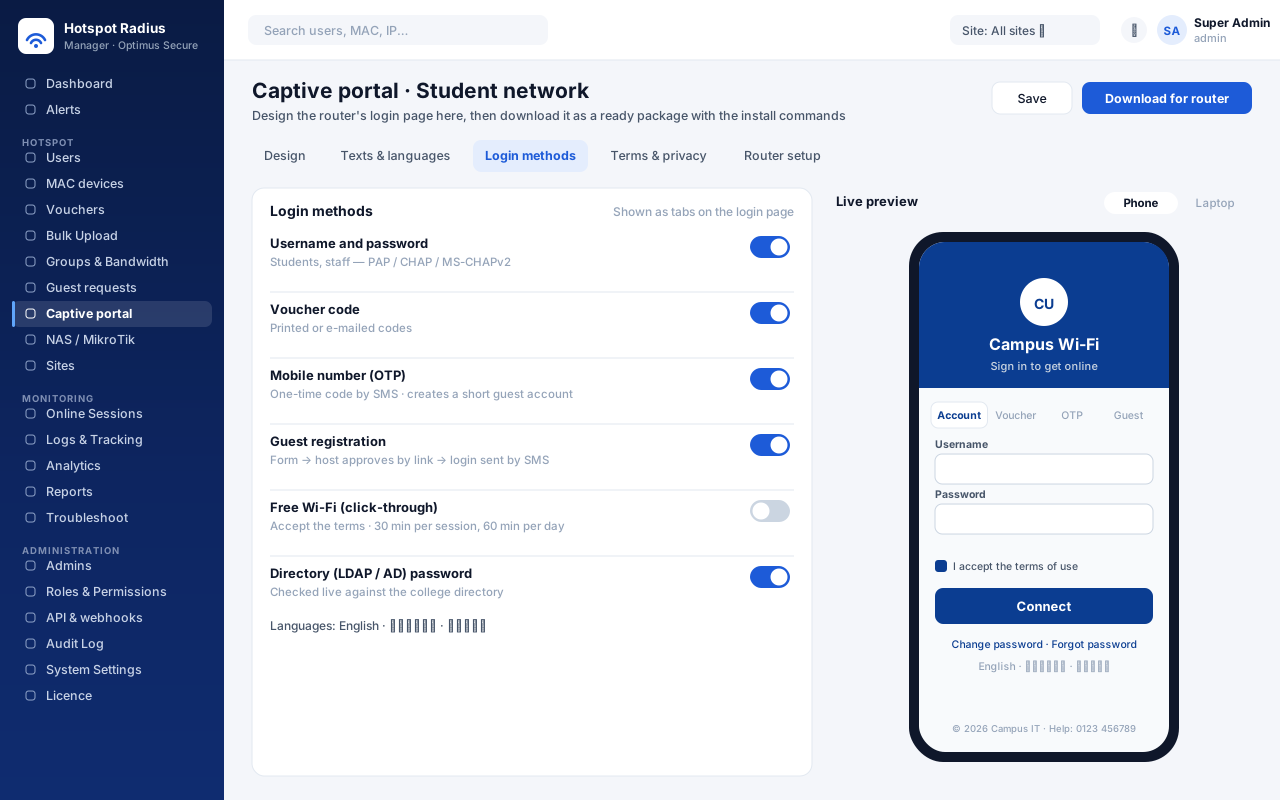
The router's login page, designed in the portal with a live phone preview.
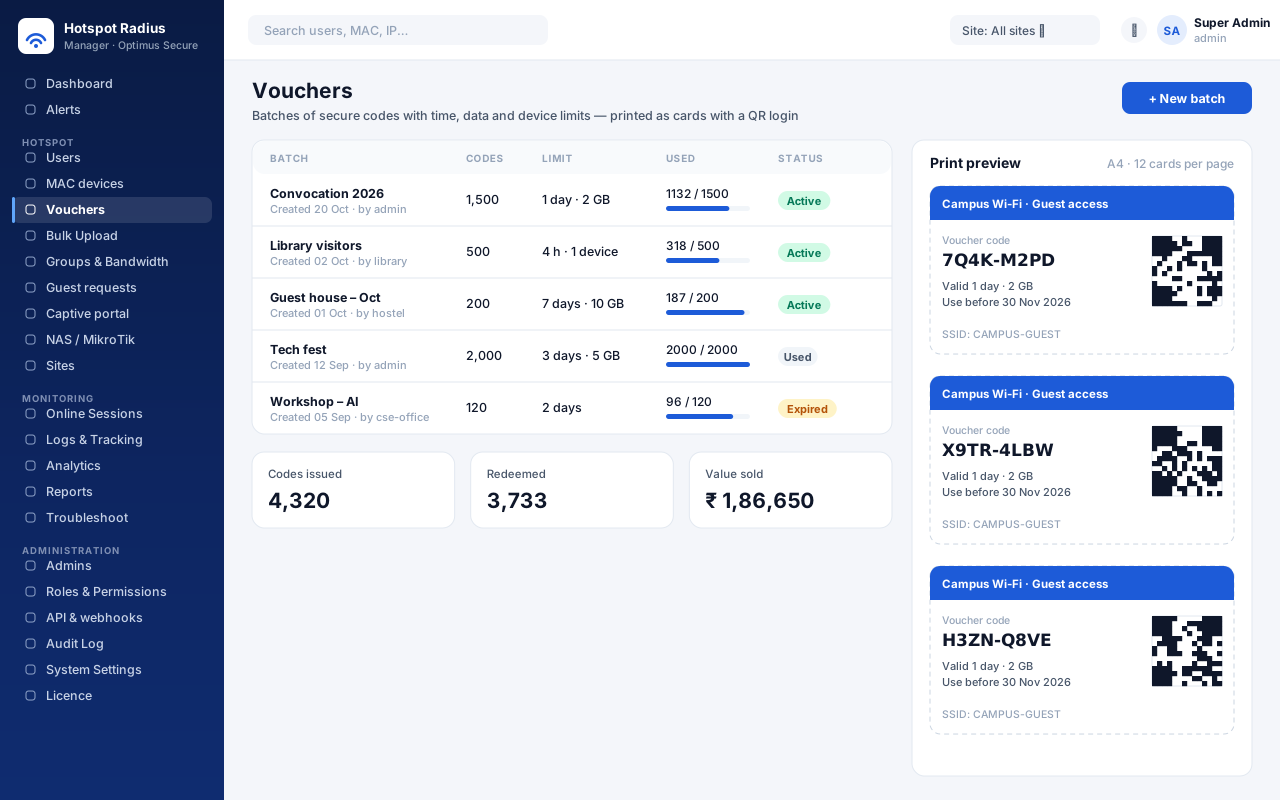
Voucher batches and the printable cards, each with a QR code that logs the visitor in.
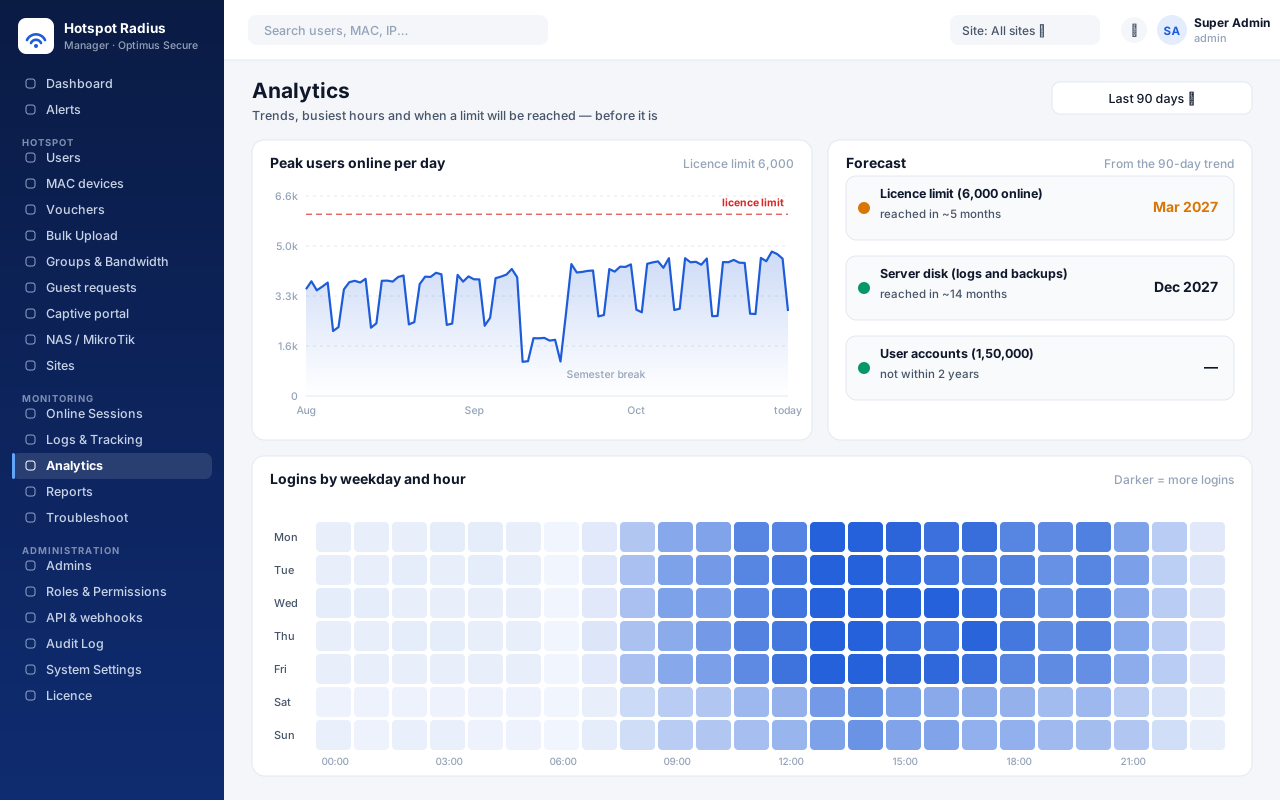
Peak use against the licence limit, the busiest hours, and when a limit will be reached.
The dashboard: online now, rejects and why, and every router's health.
One licence per installation, sized by user accounts, routers, admins and users online at once. Install it and it licenses itself for 15 days — nothing to register.
If a licence lapses, only changes in the portal stop. Students and staff keep getting online, and logs, exports, disconnects and backups keep working.
No route out? Send us the Machine ID from the Licence page and import the signed licence file we send back. Archived users do not count towards the limit.
Your product name, logo, colour, footer and support contact across the portals, emails, PDF reports and voucher cards — so users see your institution, not a vendor.
Run the same command to upgrade. The database is backed up first, users and settings are kept, and one command puts the previous version back if you need it.
Built For
Install it on your own server in one command and try it free for 15 days, or talk to us and we'll set it up with your routers, your directory and your branding.